

-
 Try out the new Jake: AI Coding Assistant for LabVIEW!
Get answers to questions about LabVIEW and discuss your code.
GLog by Nordquist Quality Engineering - Toolkit for LabVIEW Download
Simple, Configurable, and Extensible logger library for LabVIEW
 Discussion

| Version | 1.2.0.9 |
| Released | May 20, 2026 |
| Publisher | Nordquist Quality Engineering |
| License | BSD-3-Clause |
| LabVIEW Version | LabVIEW>=18.0 |
| Operating System | Windows, Mac, and Linux |
| Dependencies | oglib_error oglib_lvdata jki_lib_json_serialization jki_lib_serialization jki_lib_unicode |
| Project links | Homepage Repository Discussion |
Description
GLog is a Simple, Configurable, and Extensible logging library for LabVIEW.
Inspired by Python's logging module, GLog allows you to configure logging in your application to fit almost any use case. It can handle complex logging with multiple loggers, filter conditions, and custom behavior, as well as the most basic logging, all without being cumbersome. This is because the design uses great defaults which allow you to slowly introduce more complexity without forcing you to learn the entire framework all at once.
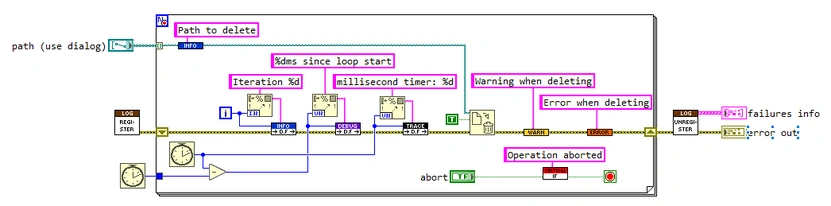
To get started, you only need two VIs. First, select "Register Logger" from the GLog palette and drop it at the beginning of your application. This will create a logger which sends log records to a file.
Next, select "Log Info" from the GLog palette, drop it onto you diagram, and wire a string to the Message input. This VI will generate a log record for your logger to handle. You can optionally add data to the log record by wiring any datatype to the VI.
Once you run the application, navigate to \logs to find the log file which was generated. Congrats, you're up and running with GLog!
From here, you can start using the additional features of GLog to customize and tailor your application's logging.
Need to change the log file location?
Want to log to a String Control instead?
Want to filter which logs are captured?
Or maybe something custom that you have in mind...
Check out the Examples as well as the Homepage and Docs to learn more.
Release Notes
Features:
File Handler
- [ISS-25][ISS-30] Added Rollover Triggers. You can create custom triggers that control when to switch to a new log file.
- [ISS-26] Added Rollover Events. You can subscribe to custom events in your application which will tell you when a file was rolled over.
- [ISS-27] Added Cleanup Filters. You can now specify a filter to determine which files in the log directory should be deleted when the logger initializes.
- Created Max File Size rollover trigger. A new log file will be used when the current log file exceeds the set size limit.
- [ISS-32] Users can customize the log file name and date formatting.
- [ISS-31] On startup, the file handler will try to continue logging to an existing file that matches the specified formatting.
- [ISS-38] When using the default log directory each logger using a File Handler will output to a unique directory based on the name of the logger.
String Handler
- [ISS-34] Output to a String Indicator can now be limited by Line count and/or Log count.
(Suggested by GitHub user Niklas123Niklas)
Performance:
- String indicator updates when using the String Handler are now performed asynchronously rather than on each log call. This removes the bottleneck caused by frequent UI updates from the String Handler.
Bugfixes:
- Fixed that the call chain included "Log.vi" unnecessarily, as this VI is always in the call chain and adds noise to the output.
- Fixed the error handling of New Logger.vi where if an error was encountered during creation, the logger would not recognize that it was failed and continue to try to operate as normal. This caused extraneous error popups from the logger.
- [ISS-36] Fixed that Info.vim reported as Trace rather than Info severity.
(Reported by GitHub user aasimpson)
Deprecated:
- New File Handler.vi has been deprecated in favor of New File Handler 2.vi (File Handler class).
Breaking Changes:
- None
Review issues: https://github.com/mysteryhysteria/GLog/issues


 Post an Idea
 Post a Resource